
How to manage quotes
This guide covers the process to efficiently Create, edit and delete quote.
Go to app.cableteque.com
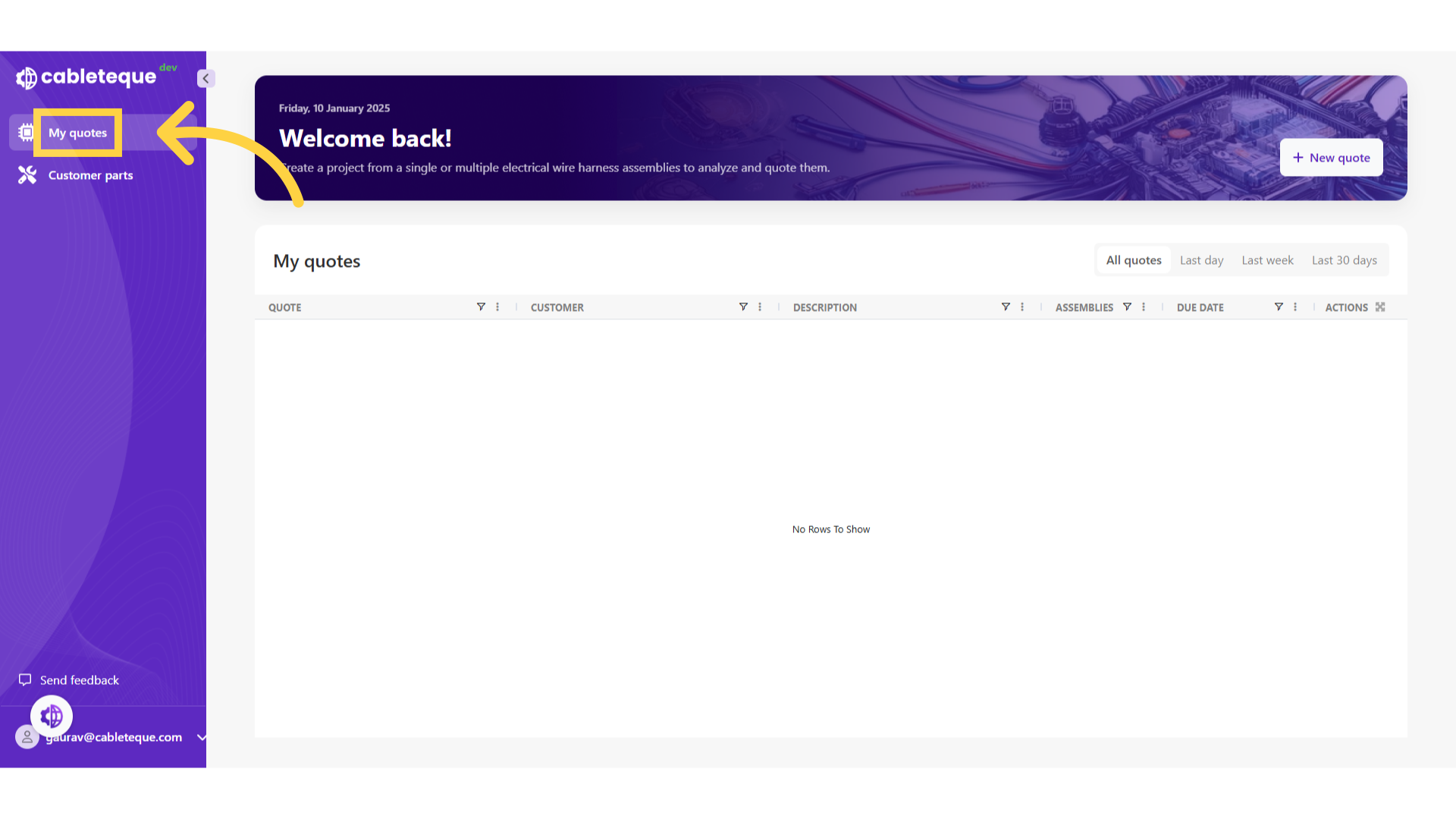
1. Click "My quotes"
Access the My quotes section.
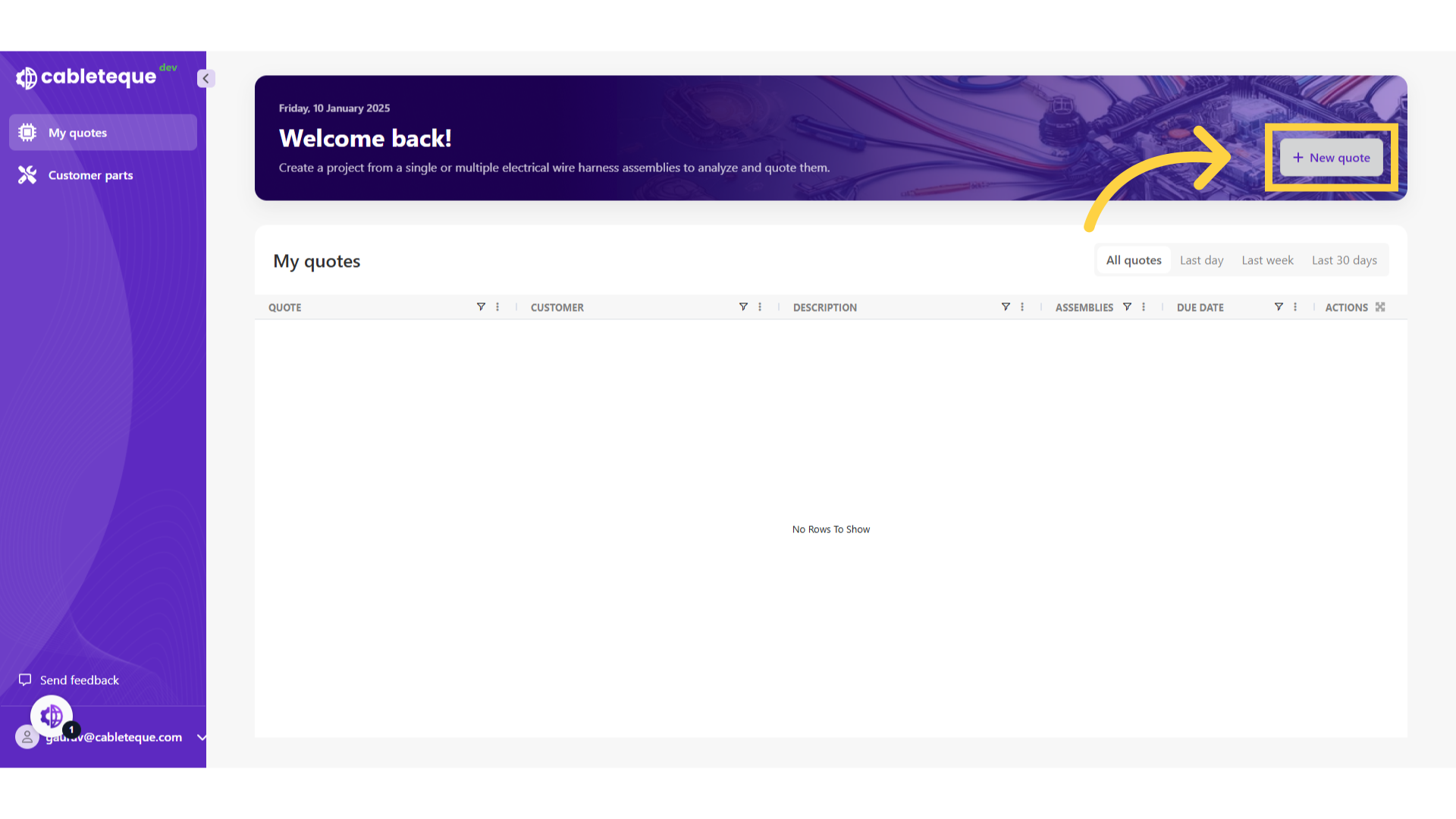
2. Click "New quote"
To create a new quote use new quote button.
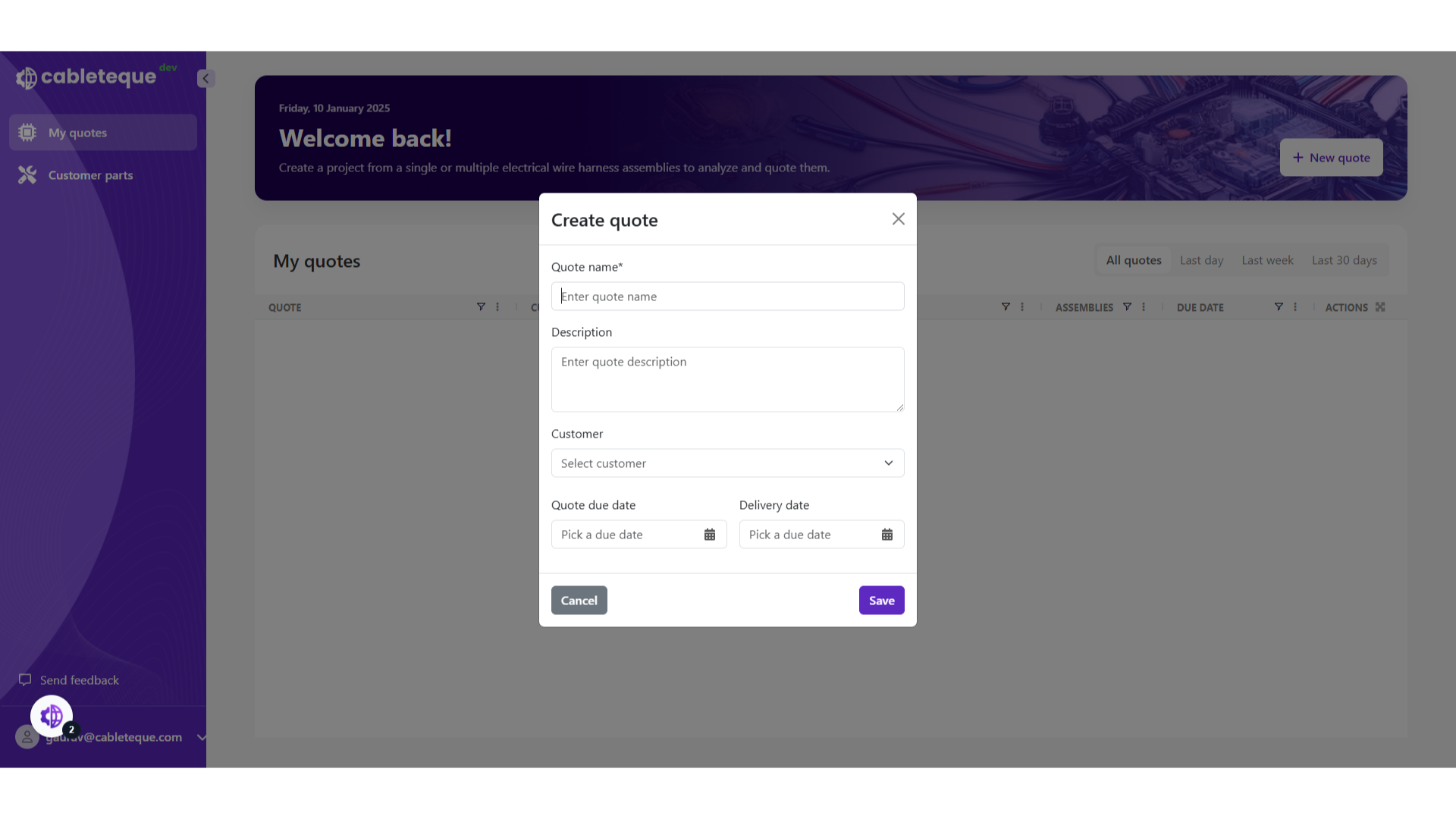
3. Enter name and description of the quote
Enter the name and description if required.
4. Click "Enter quote name"
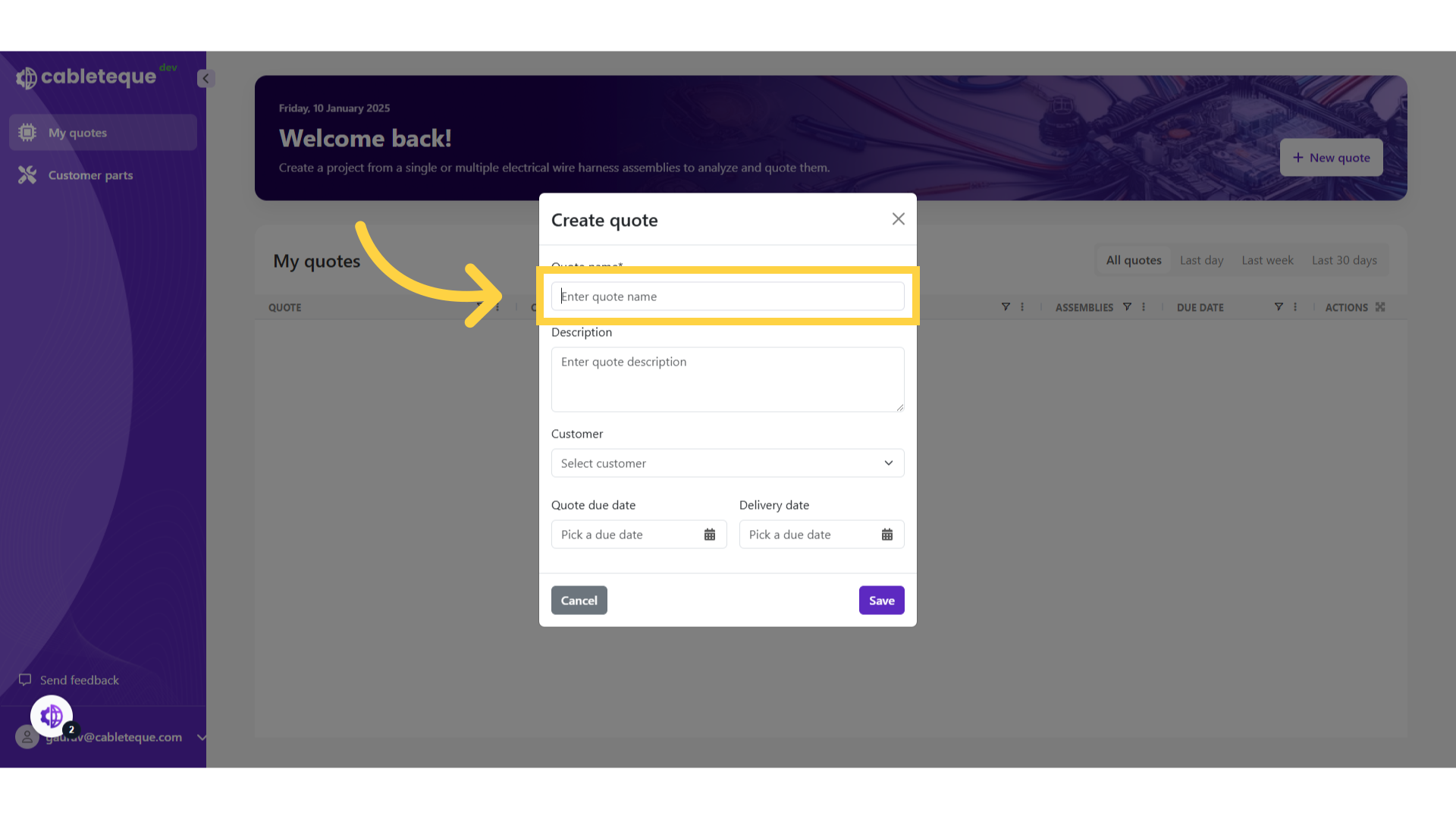
5. Fill the quote name
Provide a name.
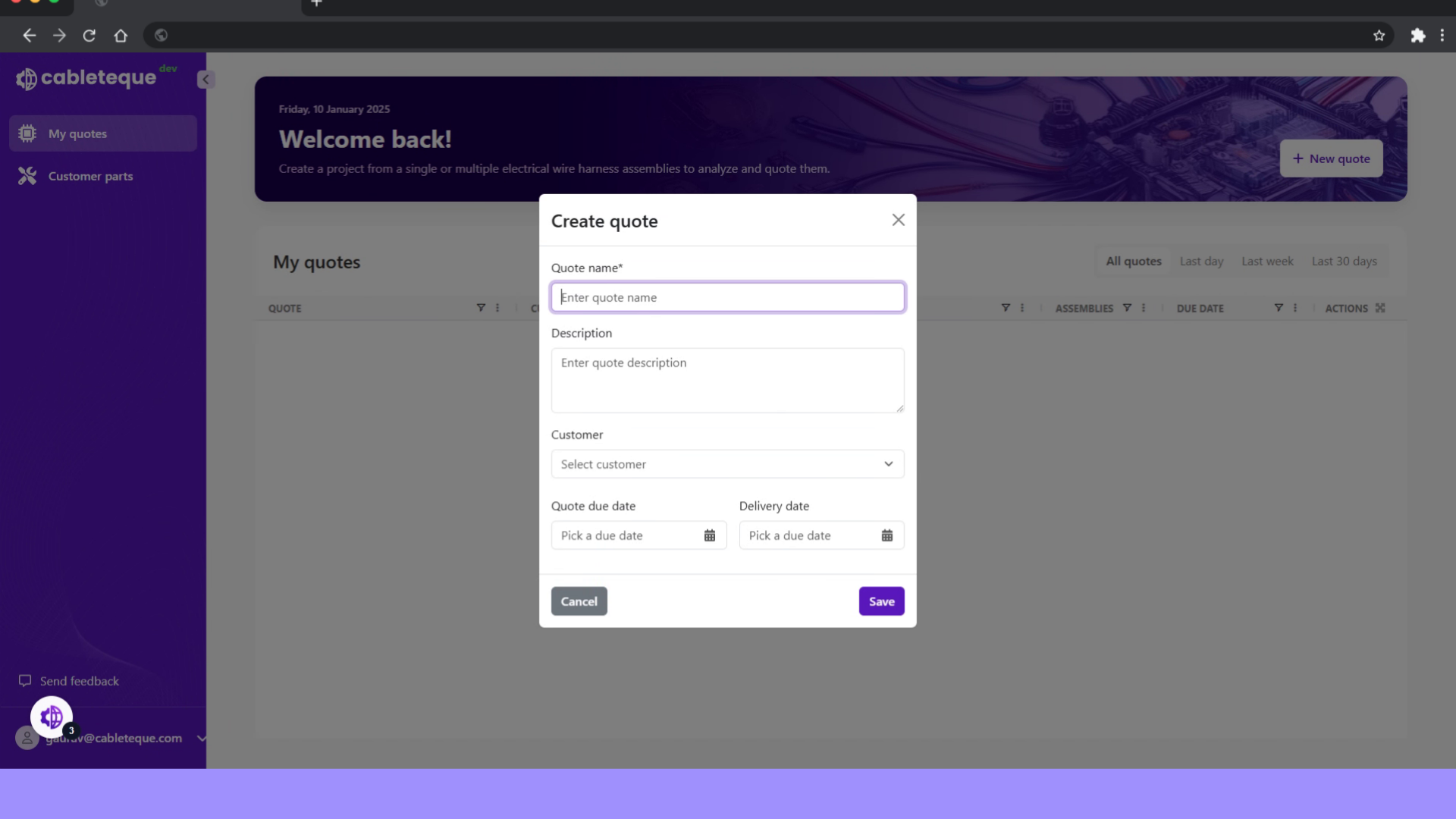
6. Click " Enter quote description"
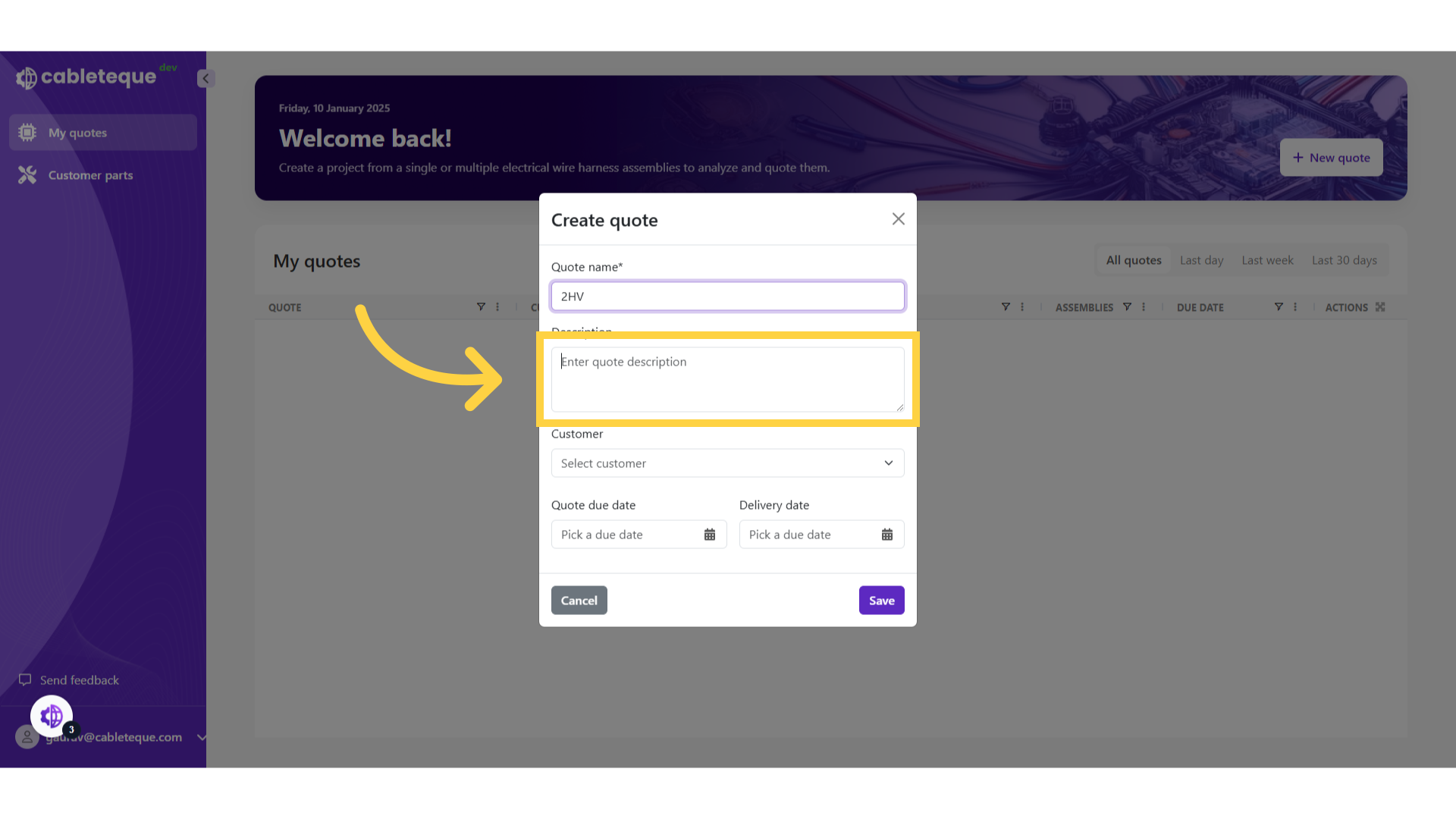
7. Fill quote description
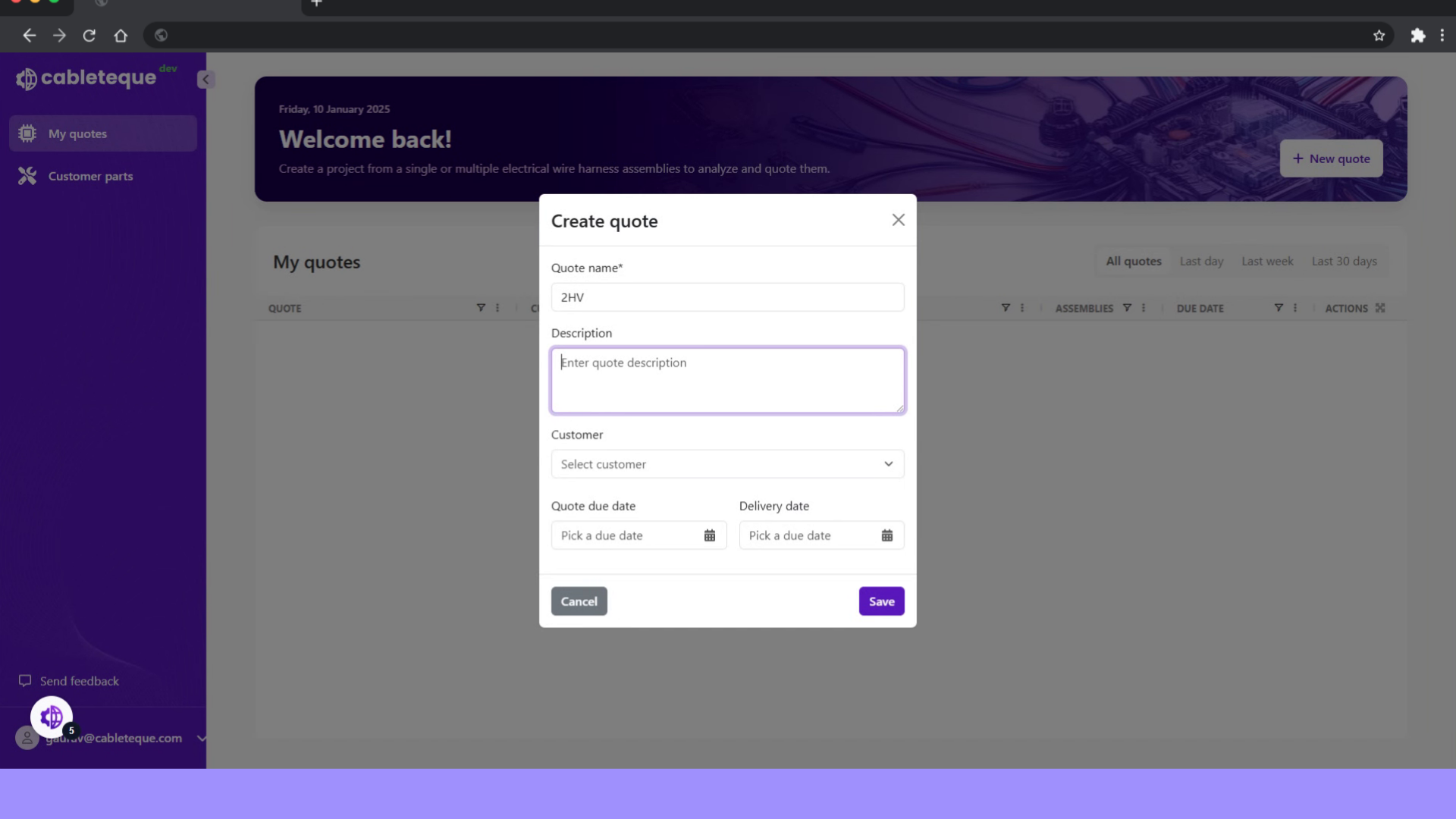
8. Click "Select customer"
Choose the customer. Selecting a customer name enables customer specific functionality such as converting customer part numbers when importing Bom.
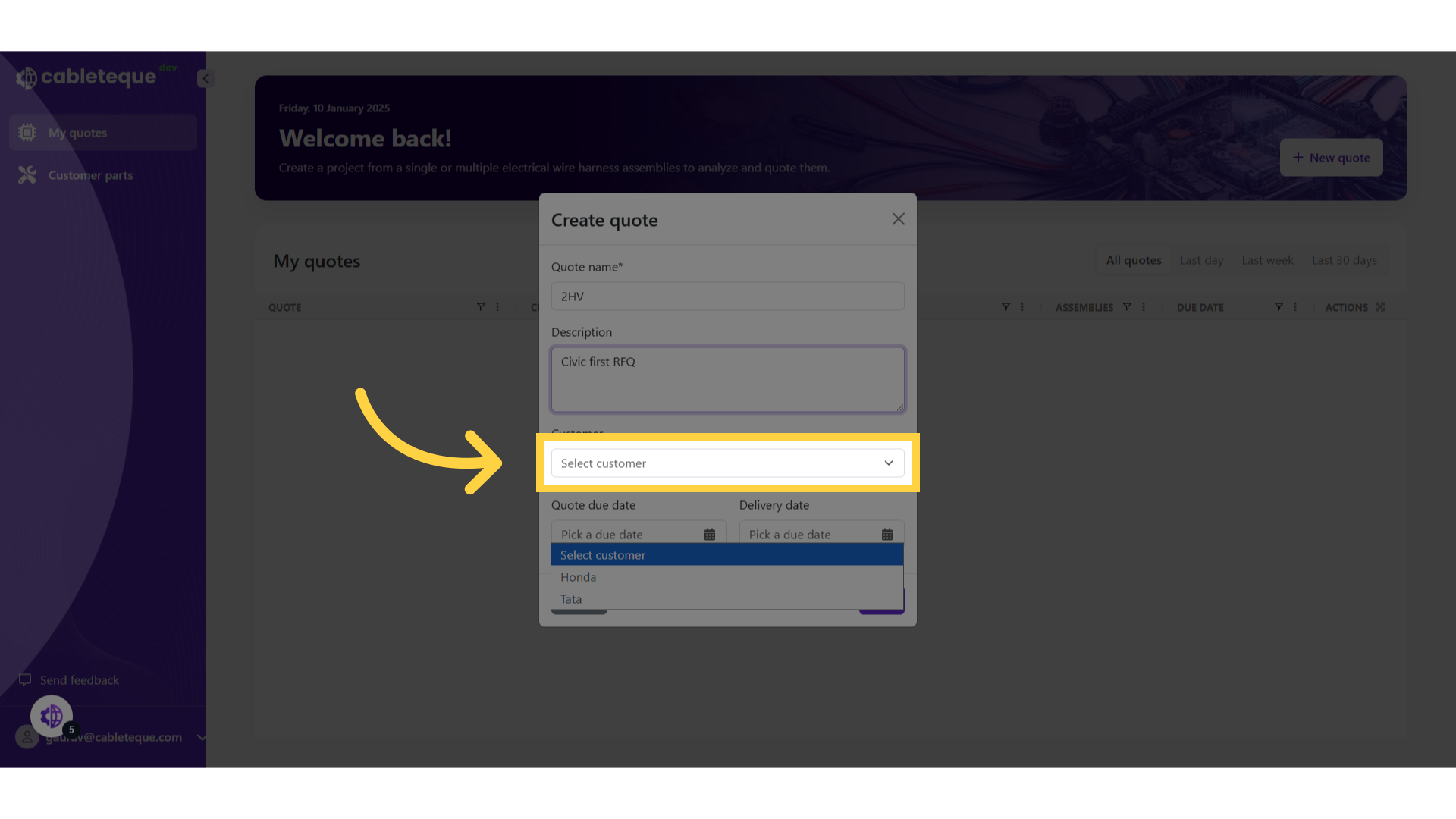
9. Select a customer
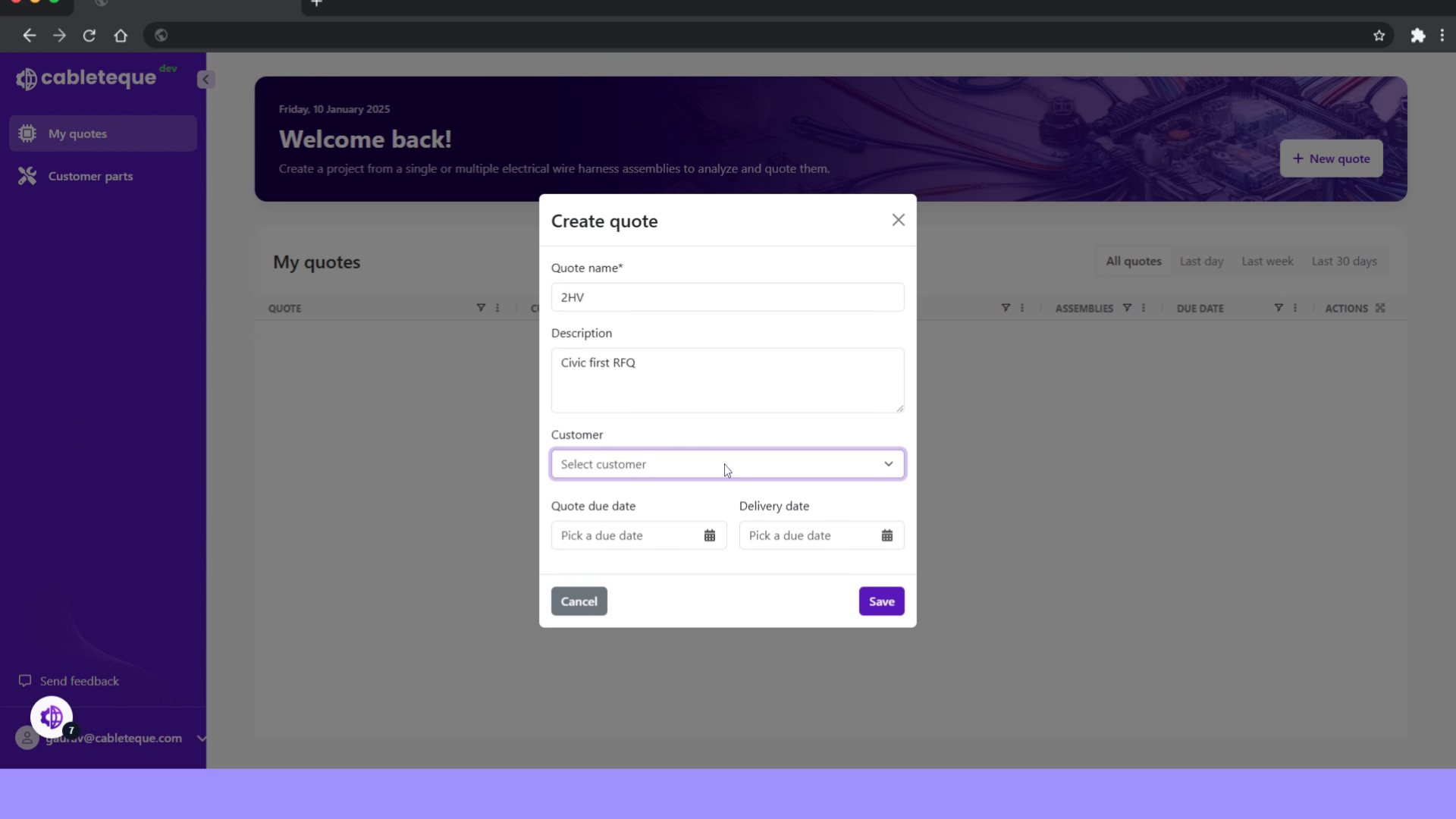
10. Select quote due date and material delivery date
you can set the due date for the quote and material delivery.
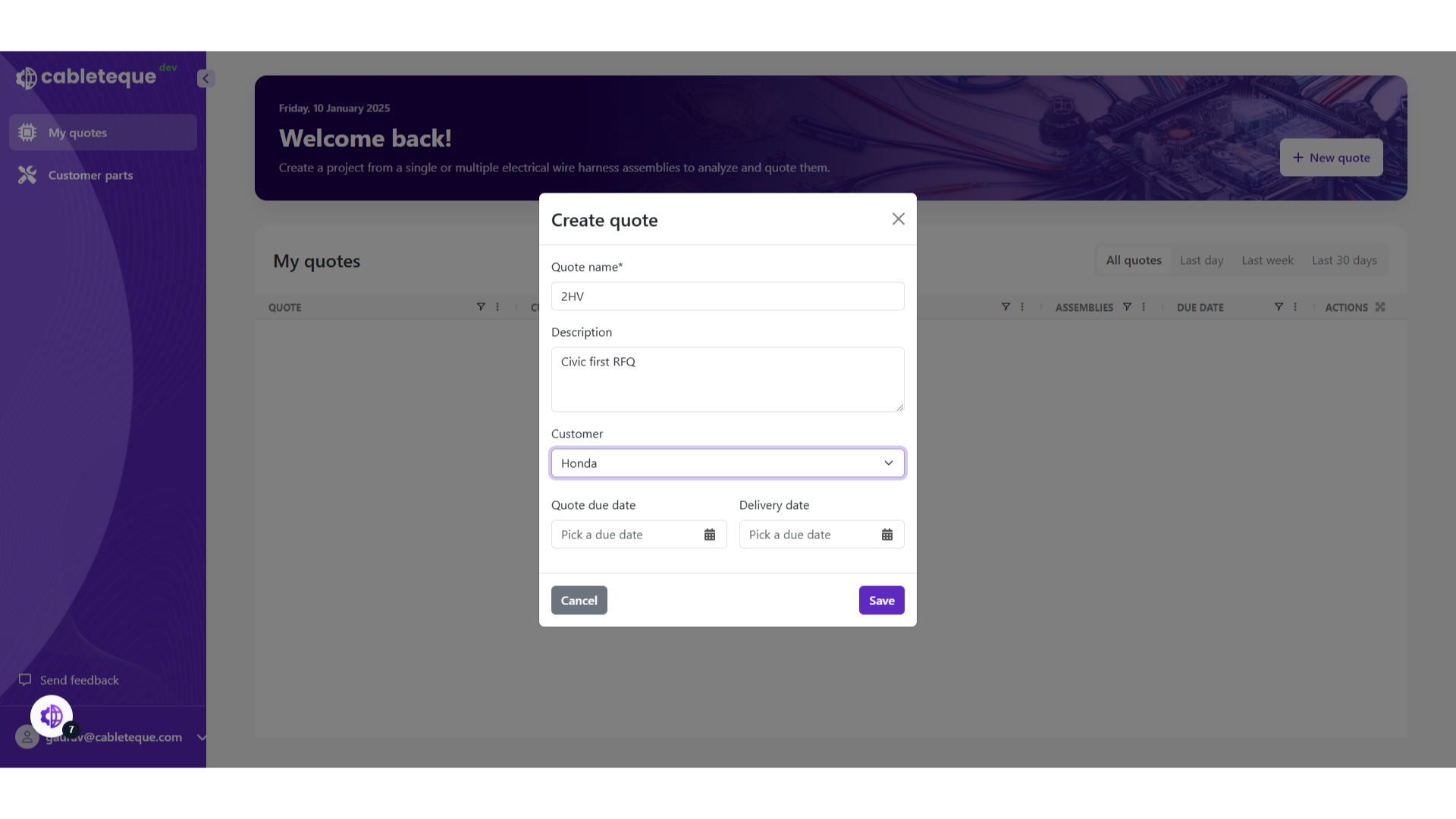
11. Click "Quote due date"
you can set the due date for the quote and material delivery.
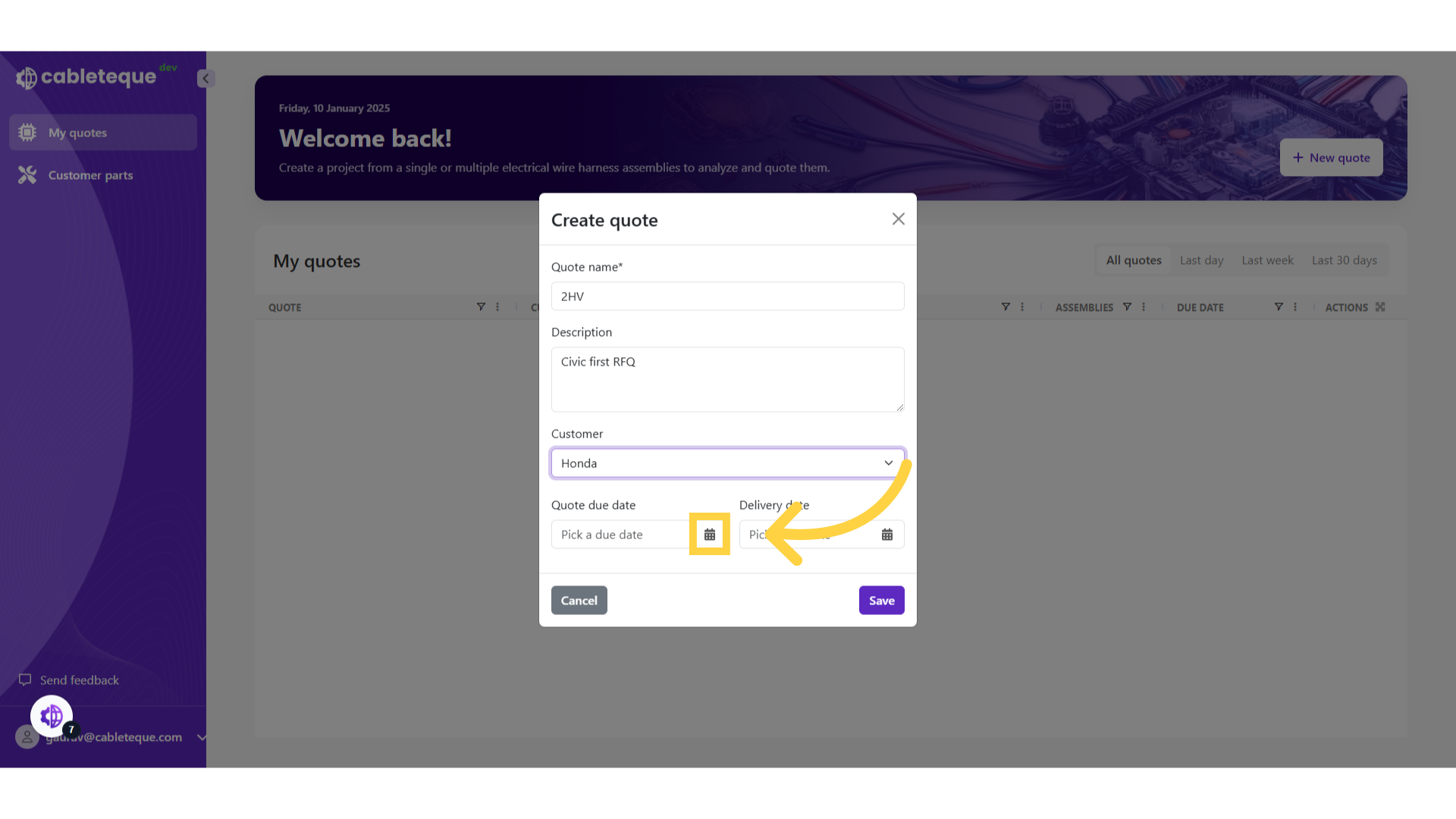
12. Pick quote due date
13. Click "Delivery date"
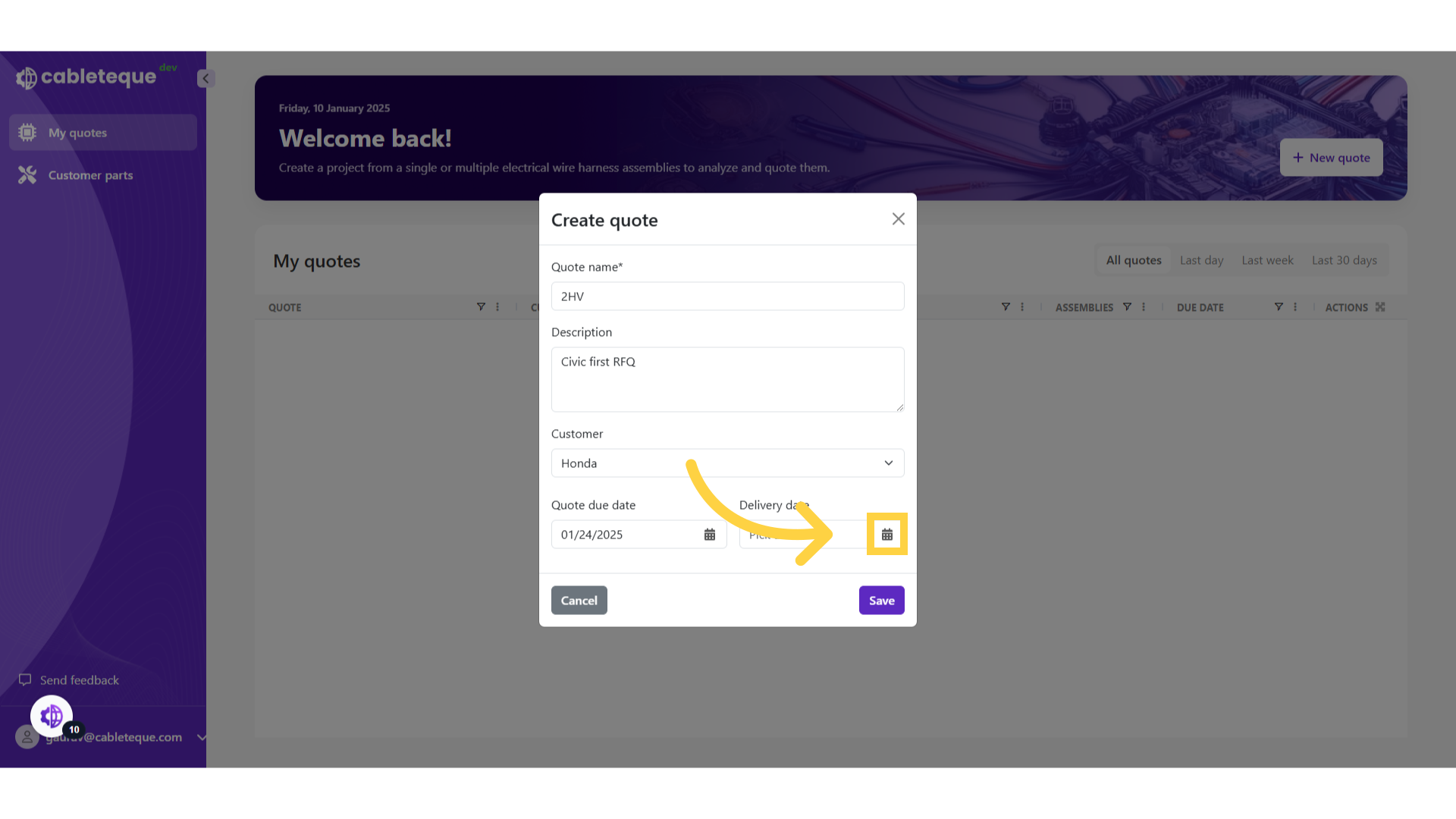
14. Pick delivery date for material
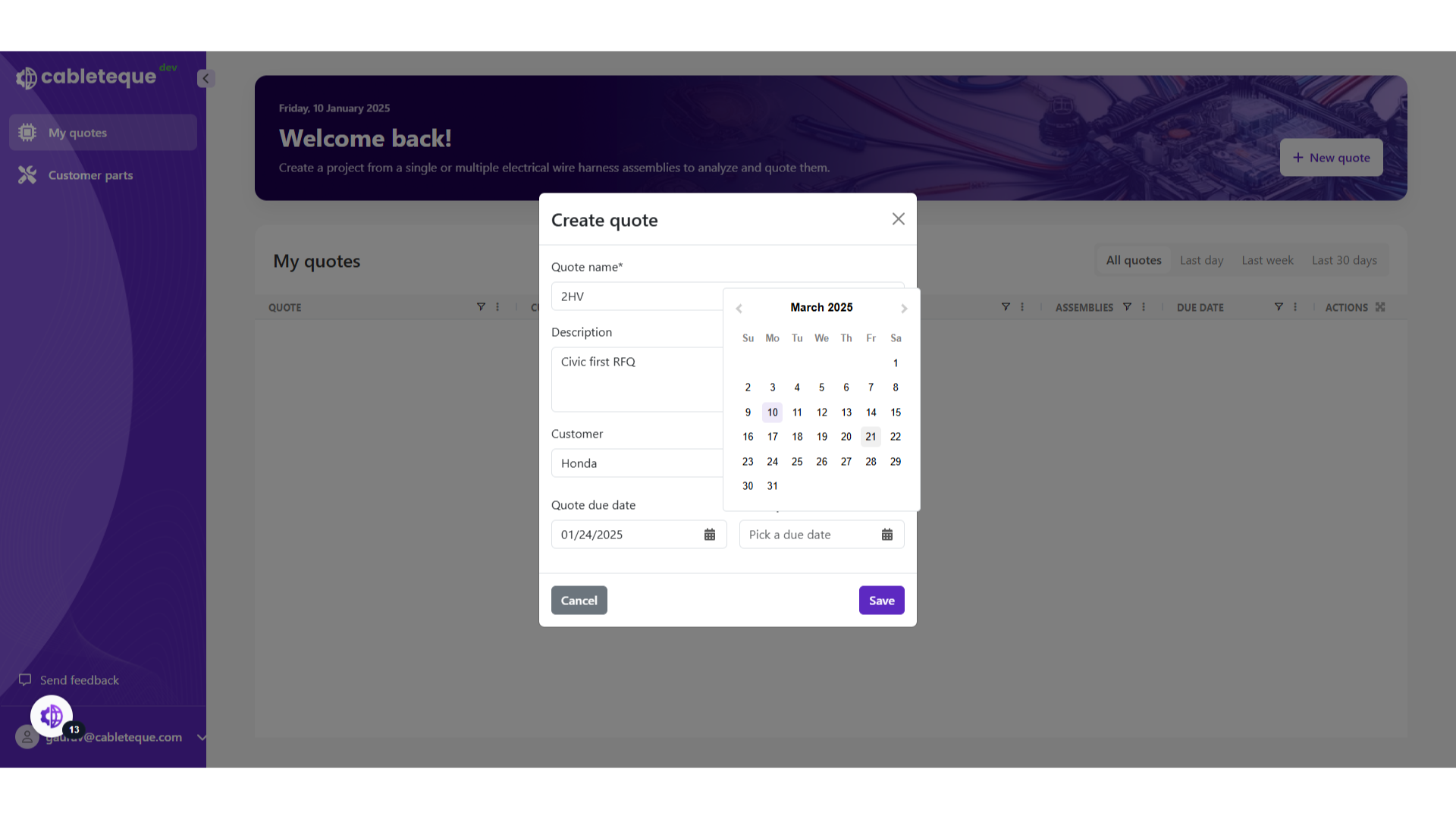
15. Click "Save"
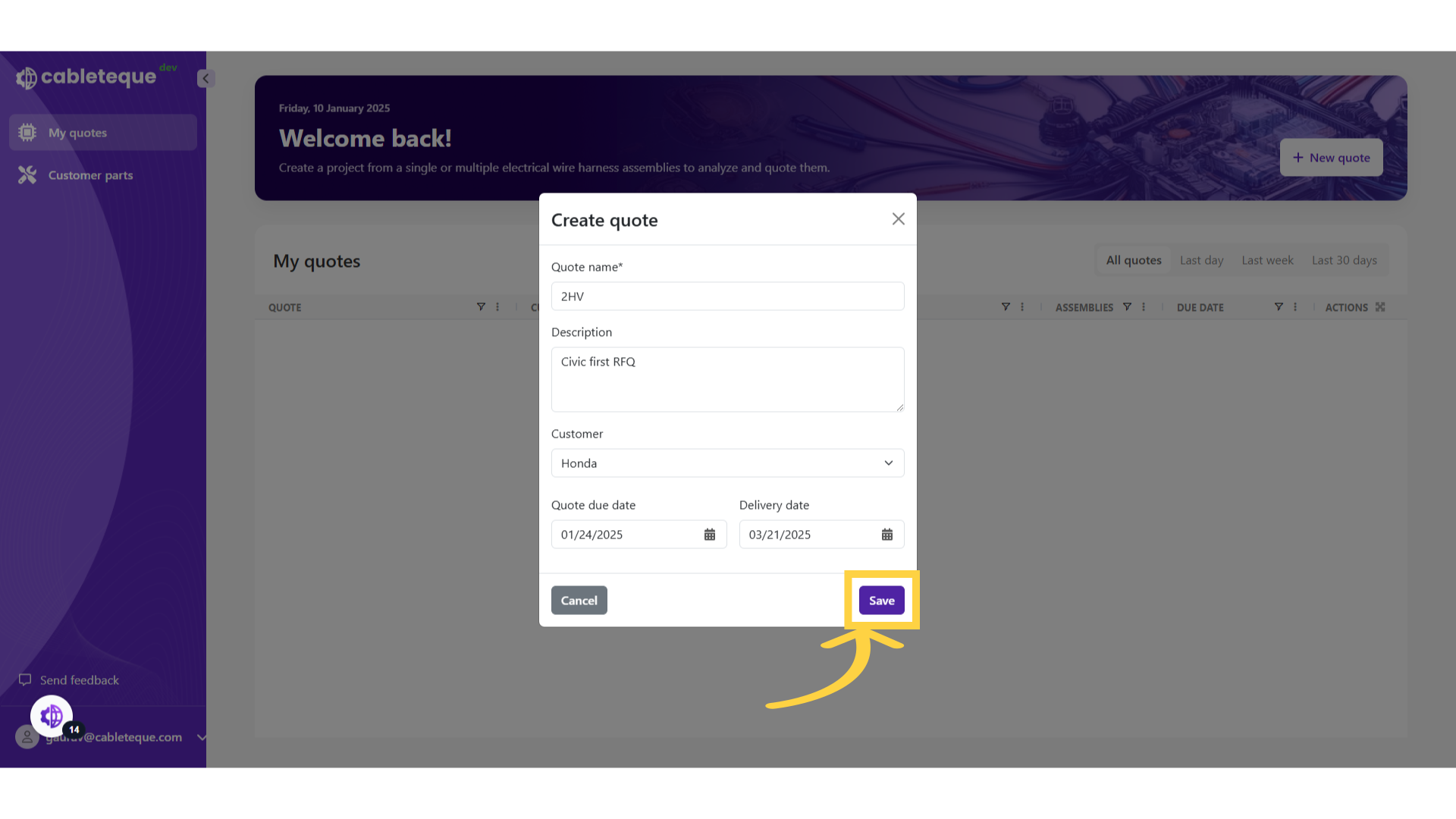
16. Quote overview
We have created a new quote. All of the details we entered can be seen in the Quote overview. We might require to make changes in the quote details.
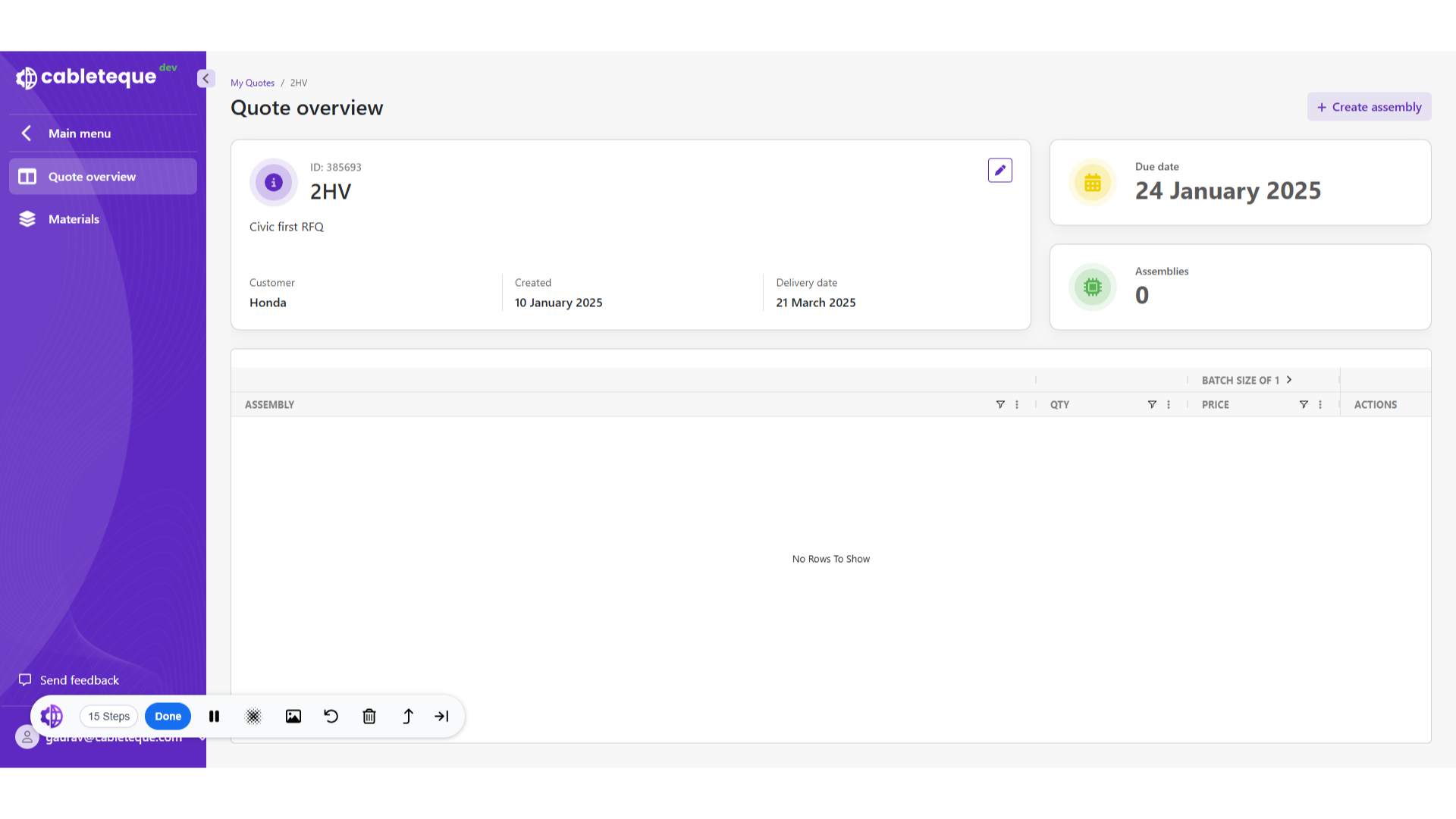
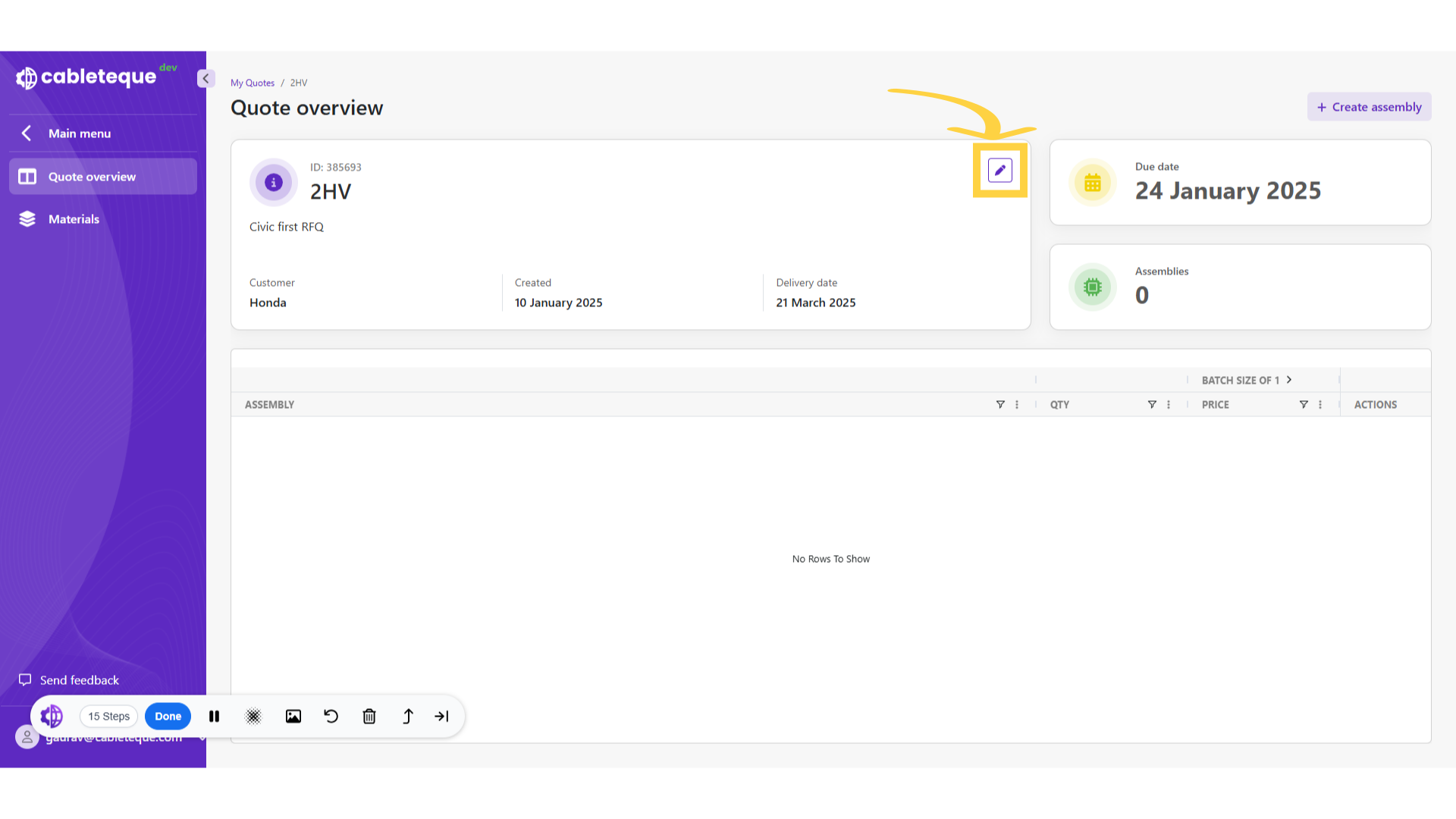
17. Edit quote
To make changes click the edit button.
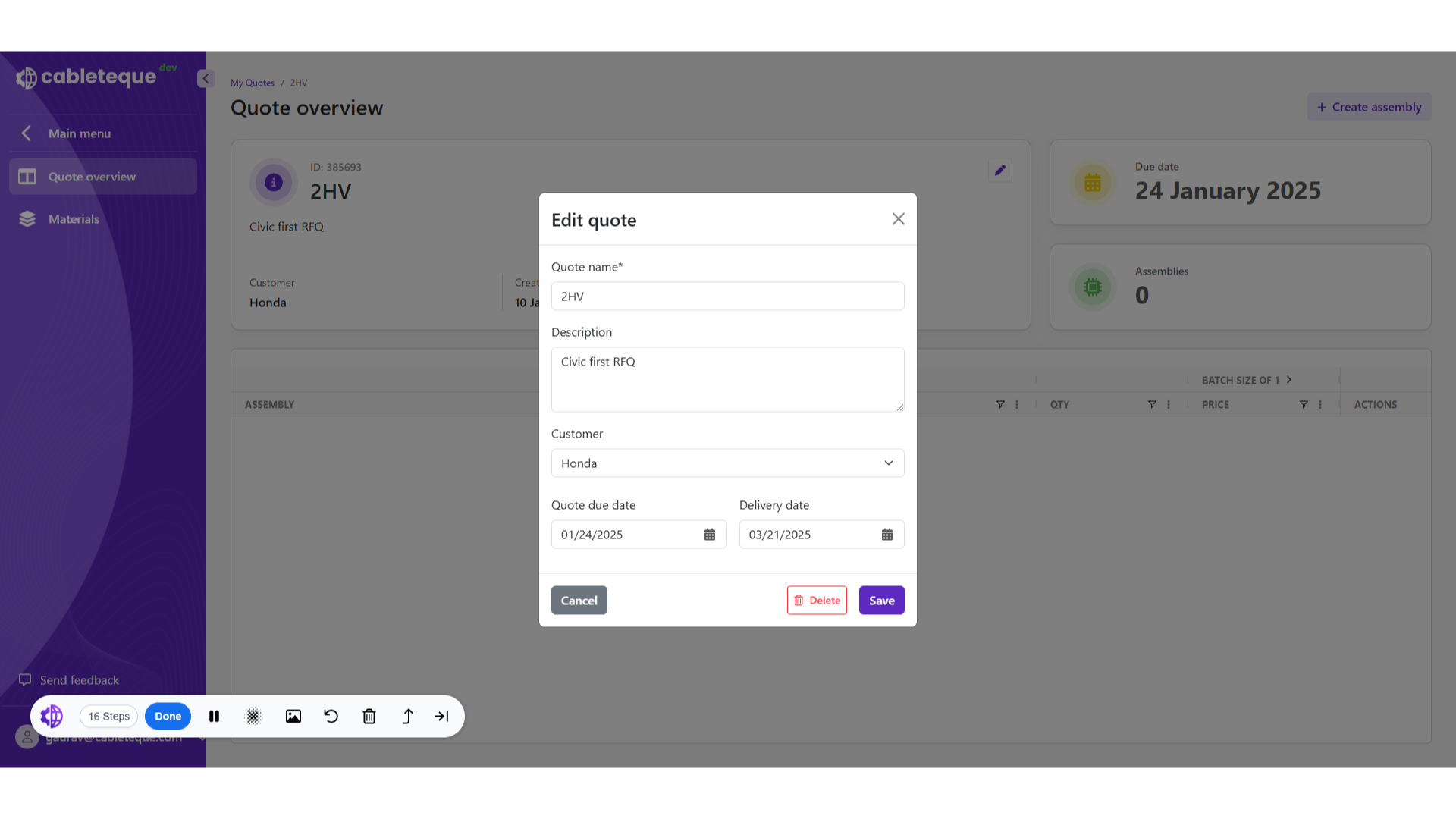
18. Edit quote dialogue box
From this dialogue box we can make any required changes, for example we can change the material delivery date.
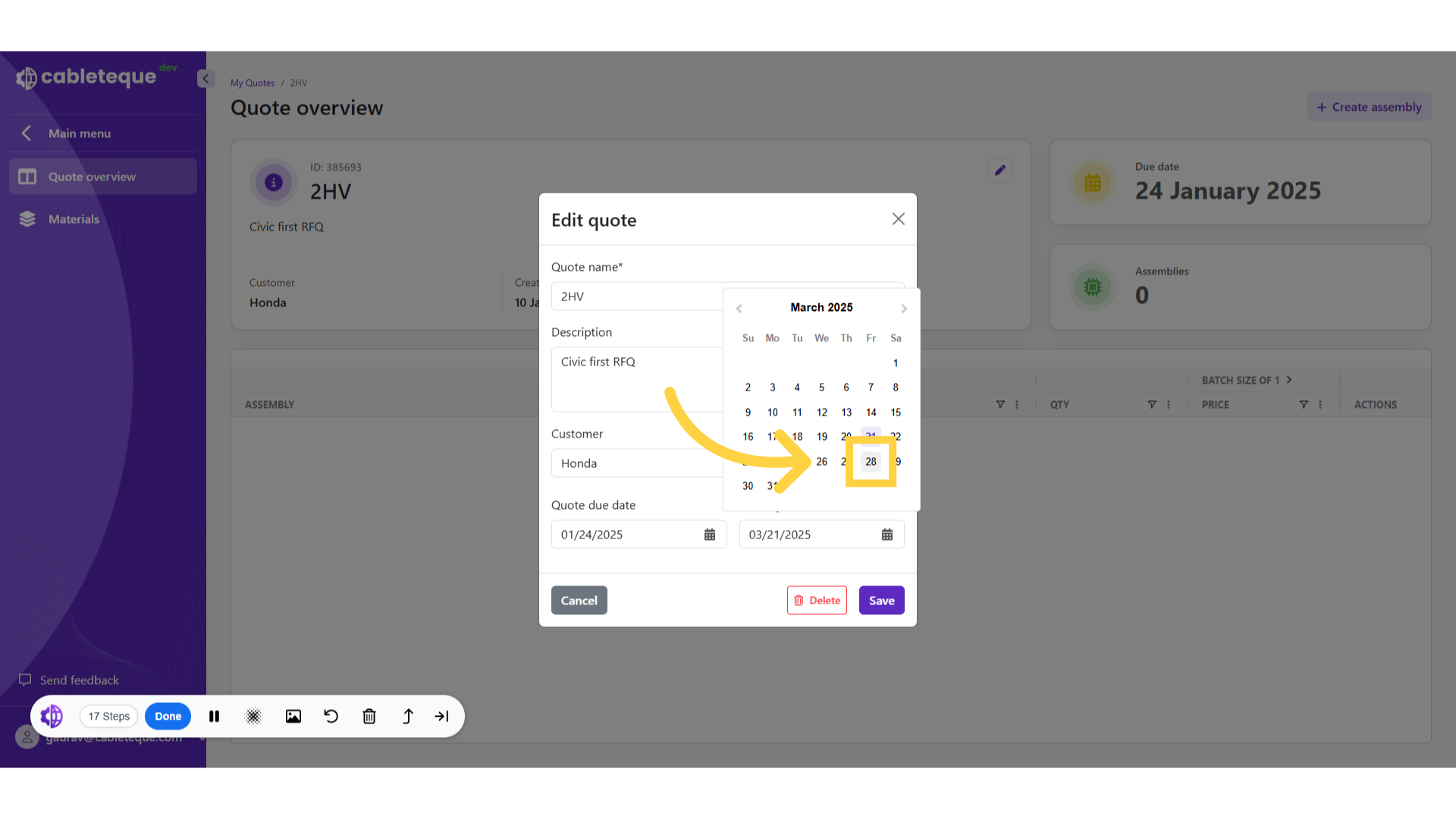
19. Select new material delivery date
Select the new delivery date.

20. Select date
Set the quote expiration date.
21. Click "Save"
Save the changes made.

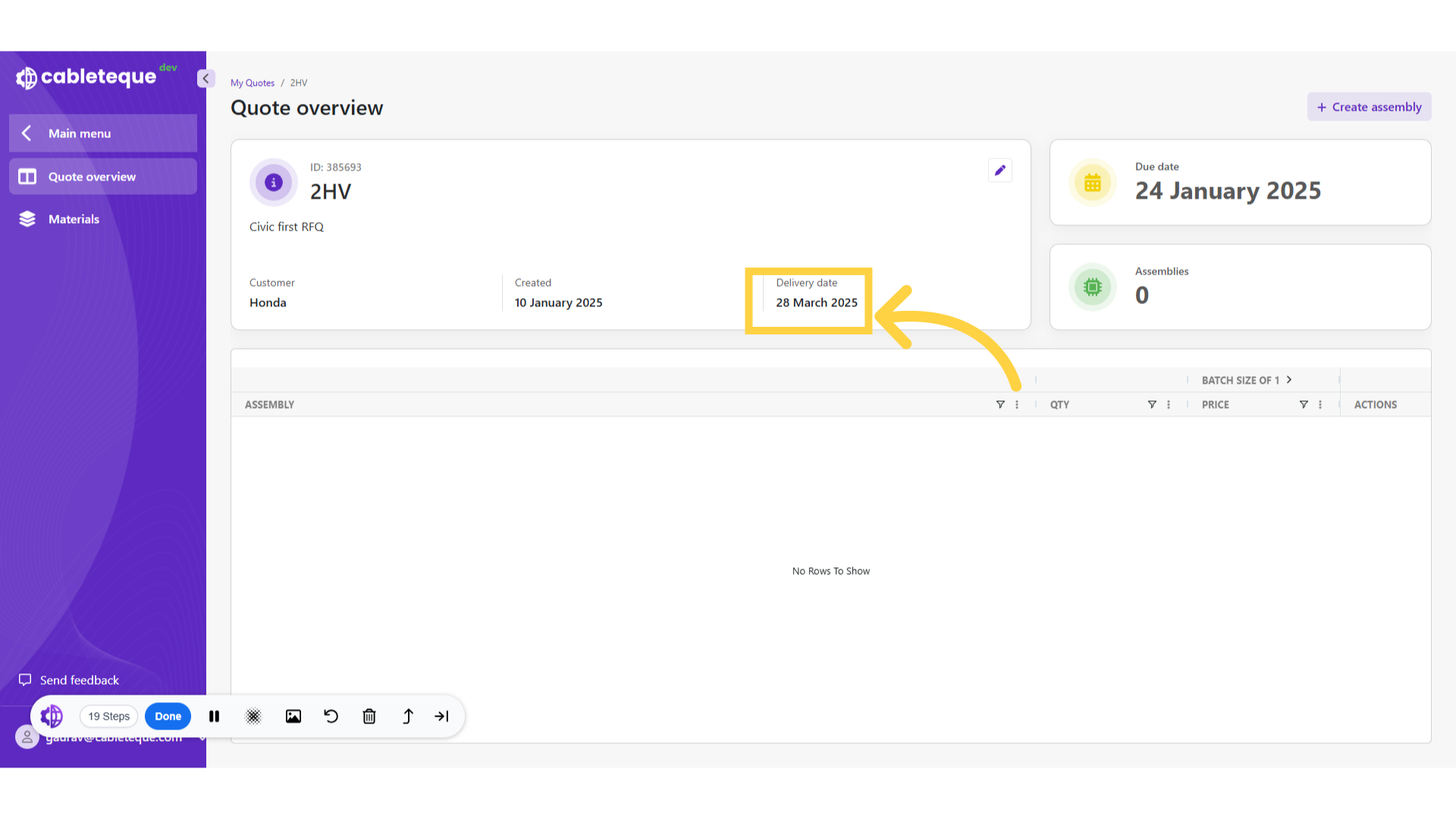
22. Changed Delivery date
Then any of the updates made can be seen in Quote overview.
23. Quote deletion
We have now seen process to create and edit quotes. Occasionally it may be necessary to delete a quote.
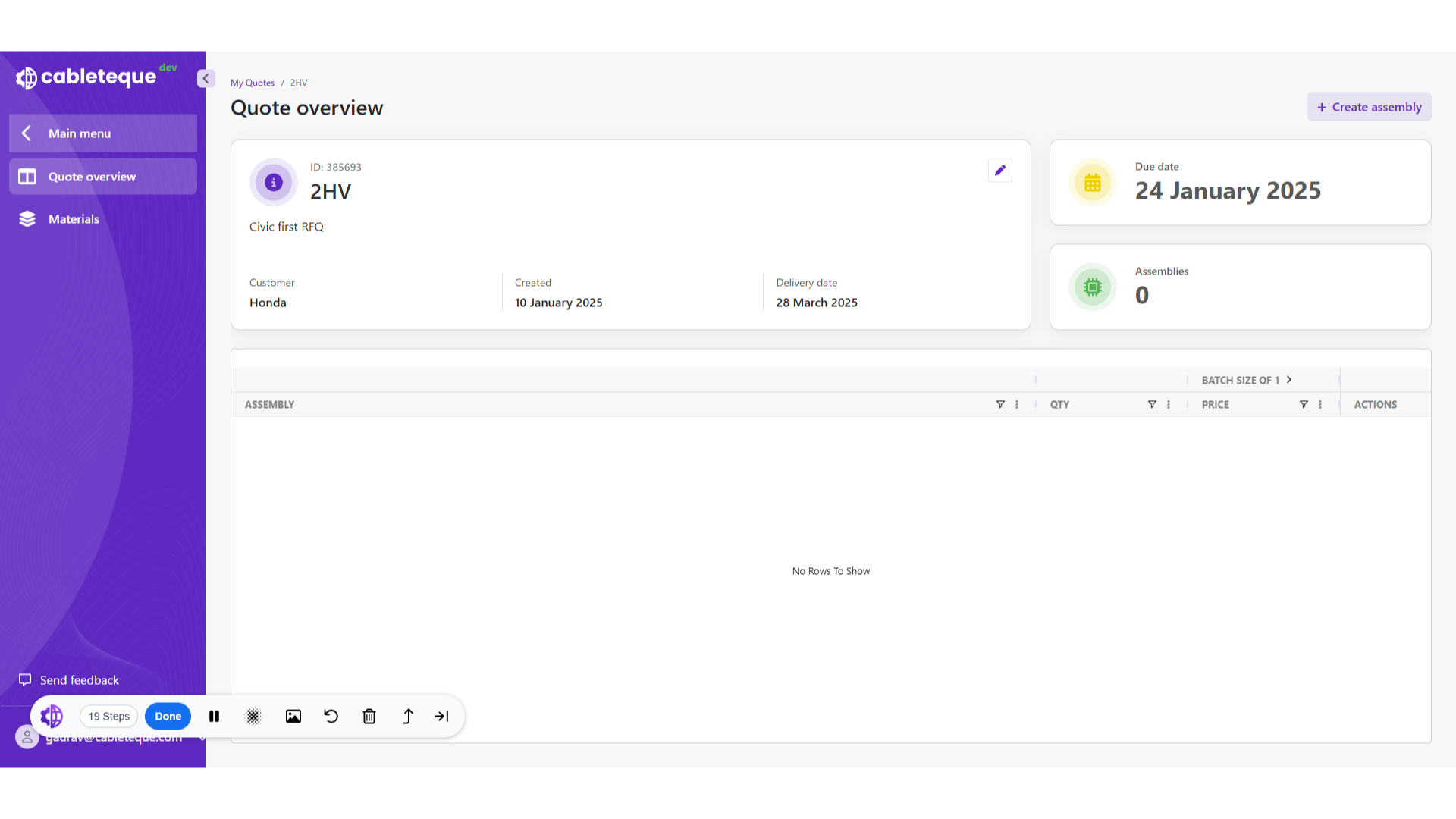
24. Click "Main menu"
To do this, we need to go back to the main menu.
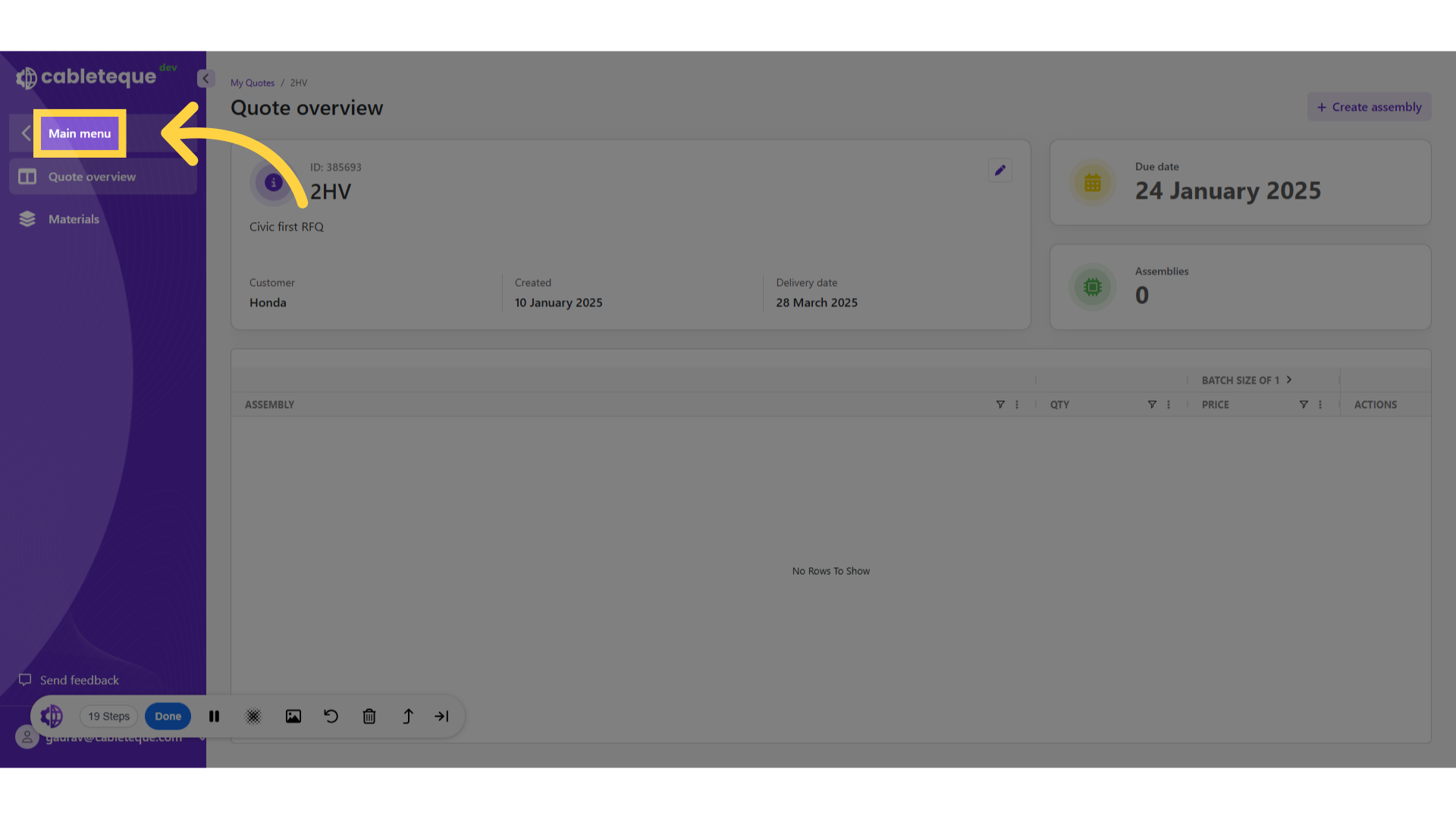
25. Click "My quotes"
Access the My quotes section.
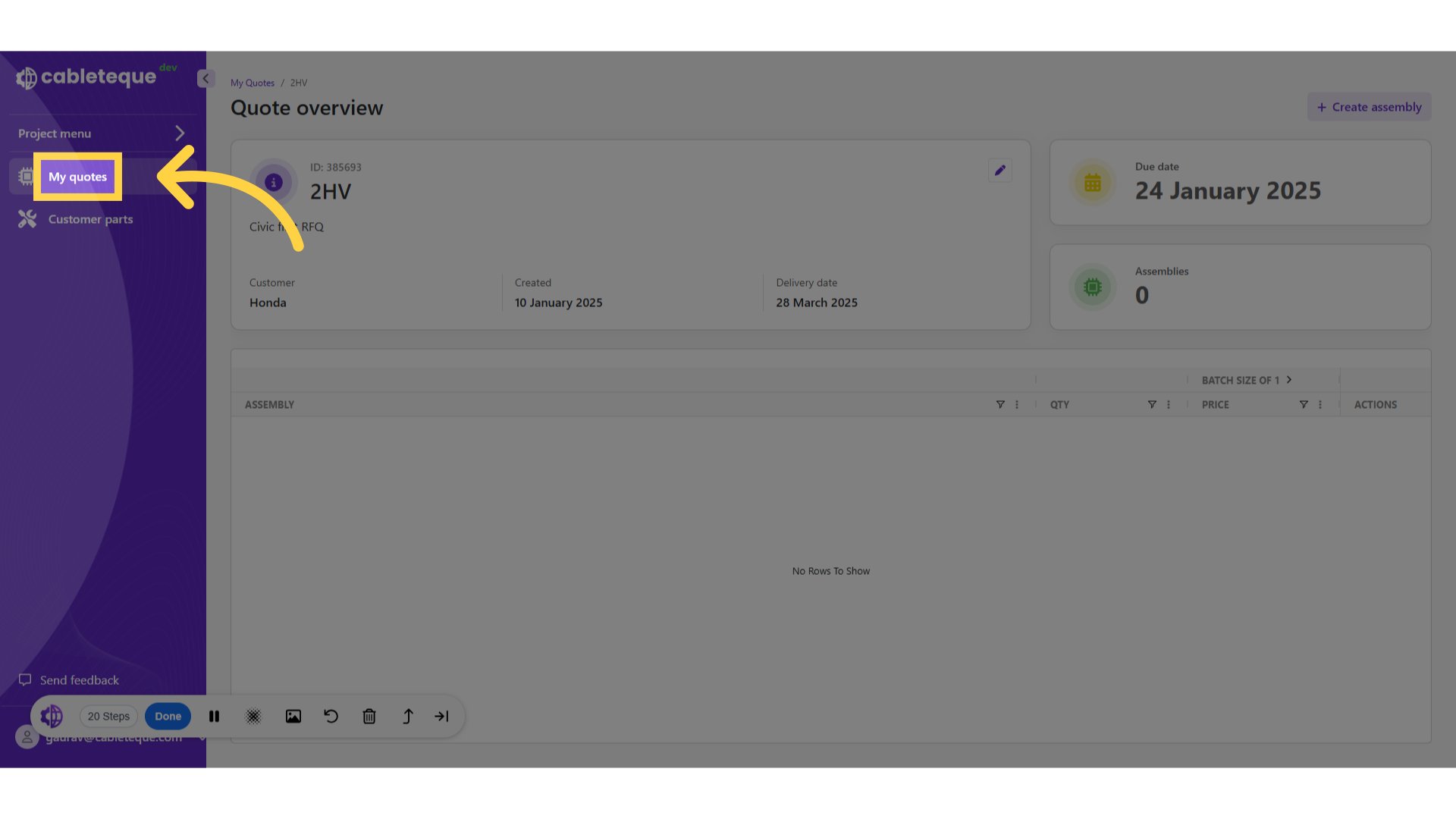
26. My quotes section
This displays all the available quotes.
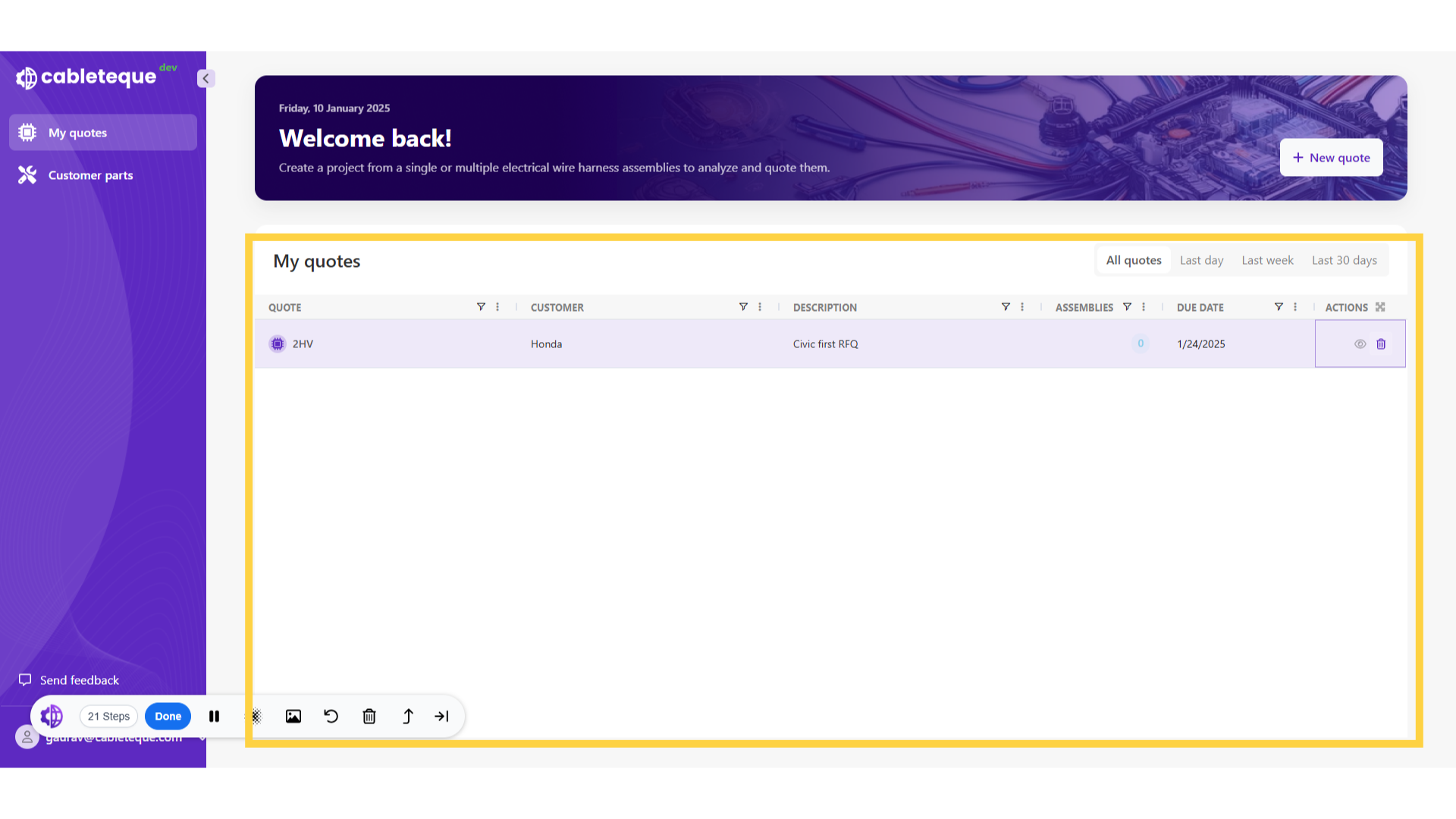
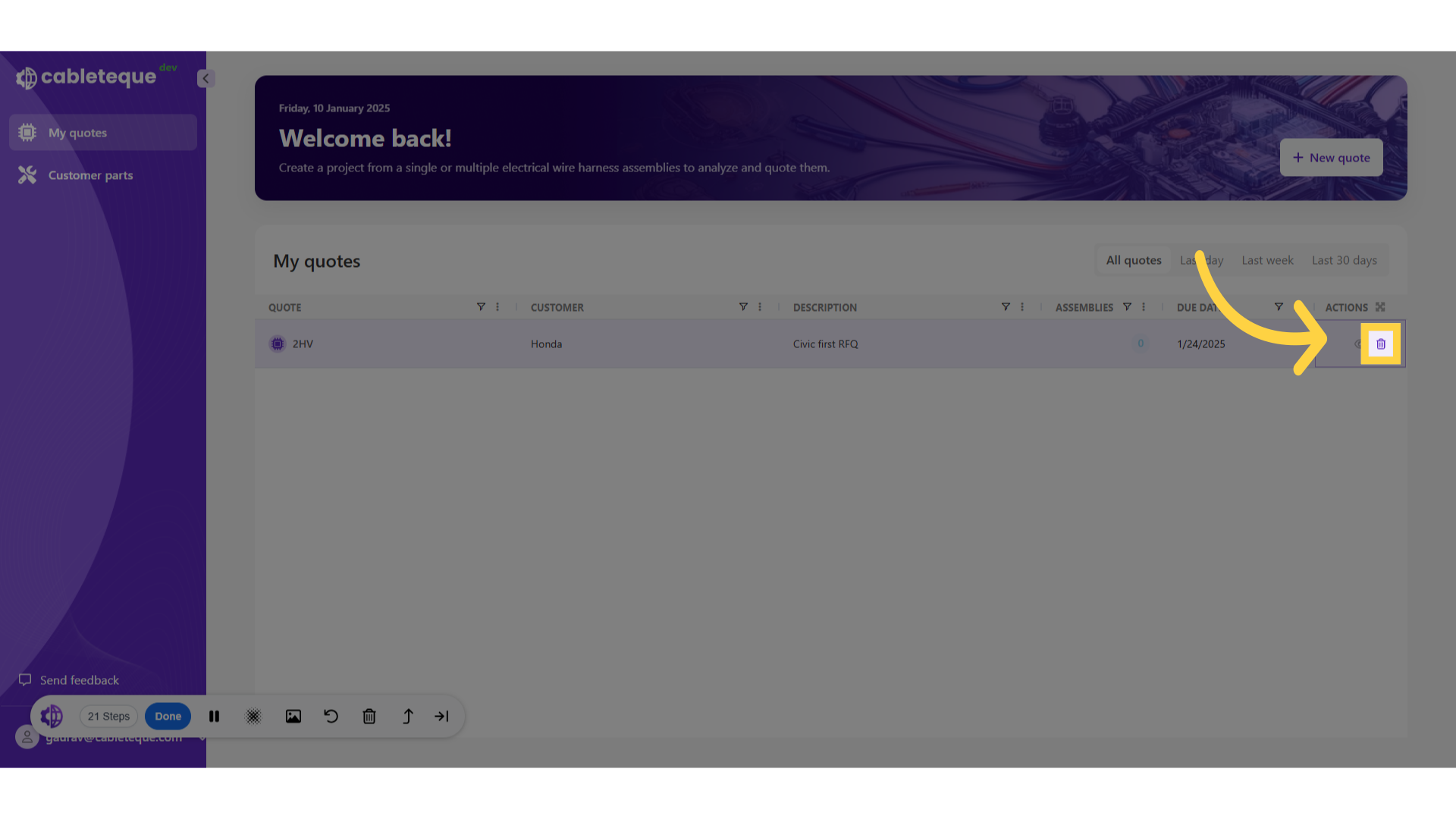
27. Quote delete icon
Quote can be deleted using delete icon.
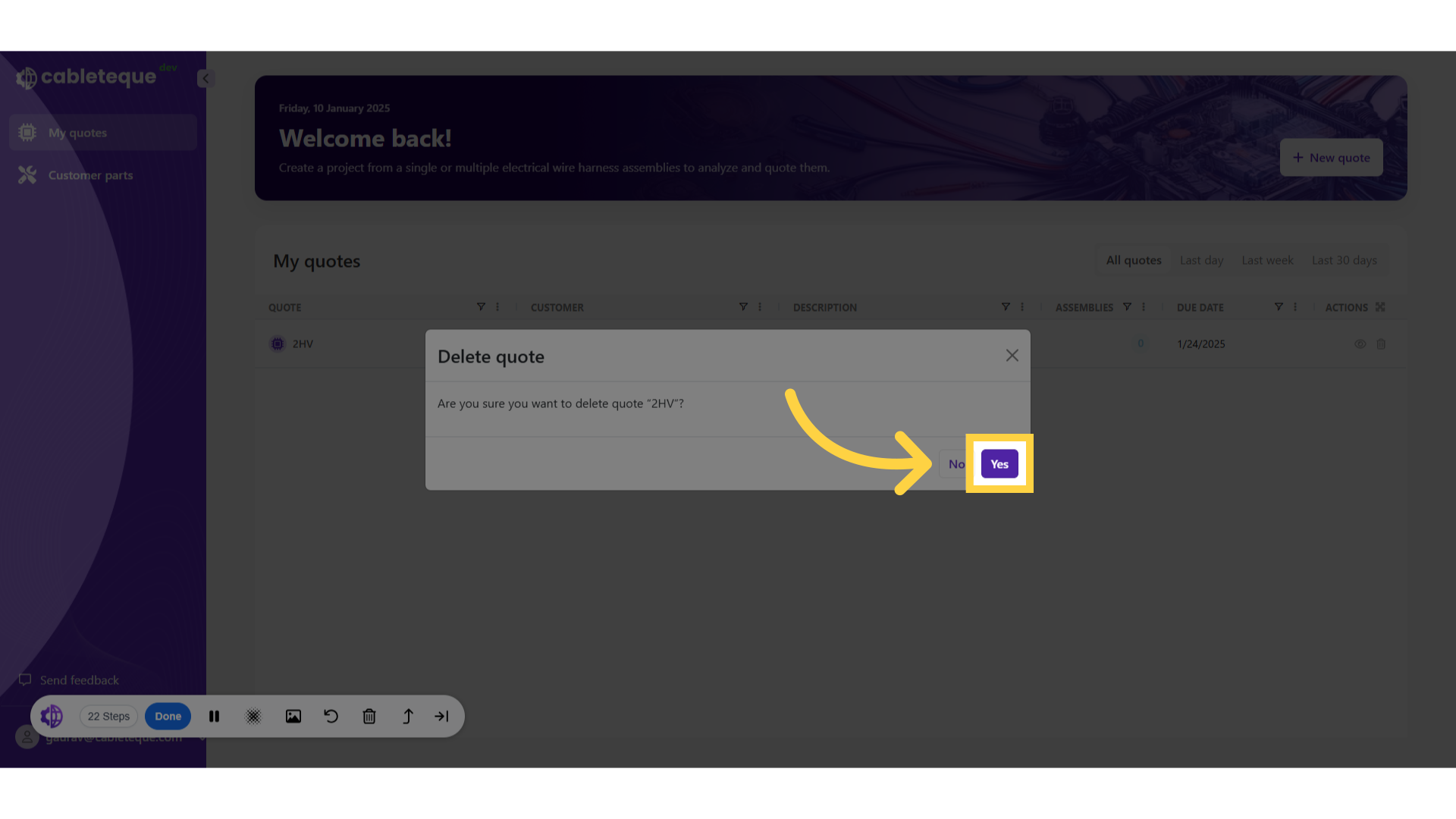
28. Confirm deletion
Finalize and delete the quote.
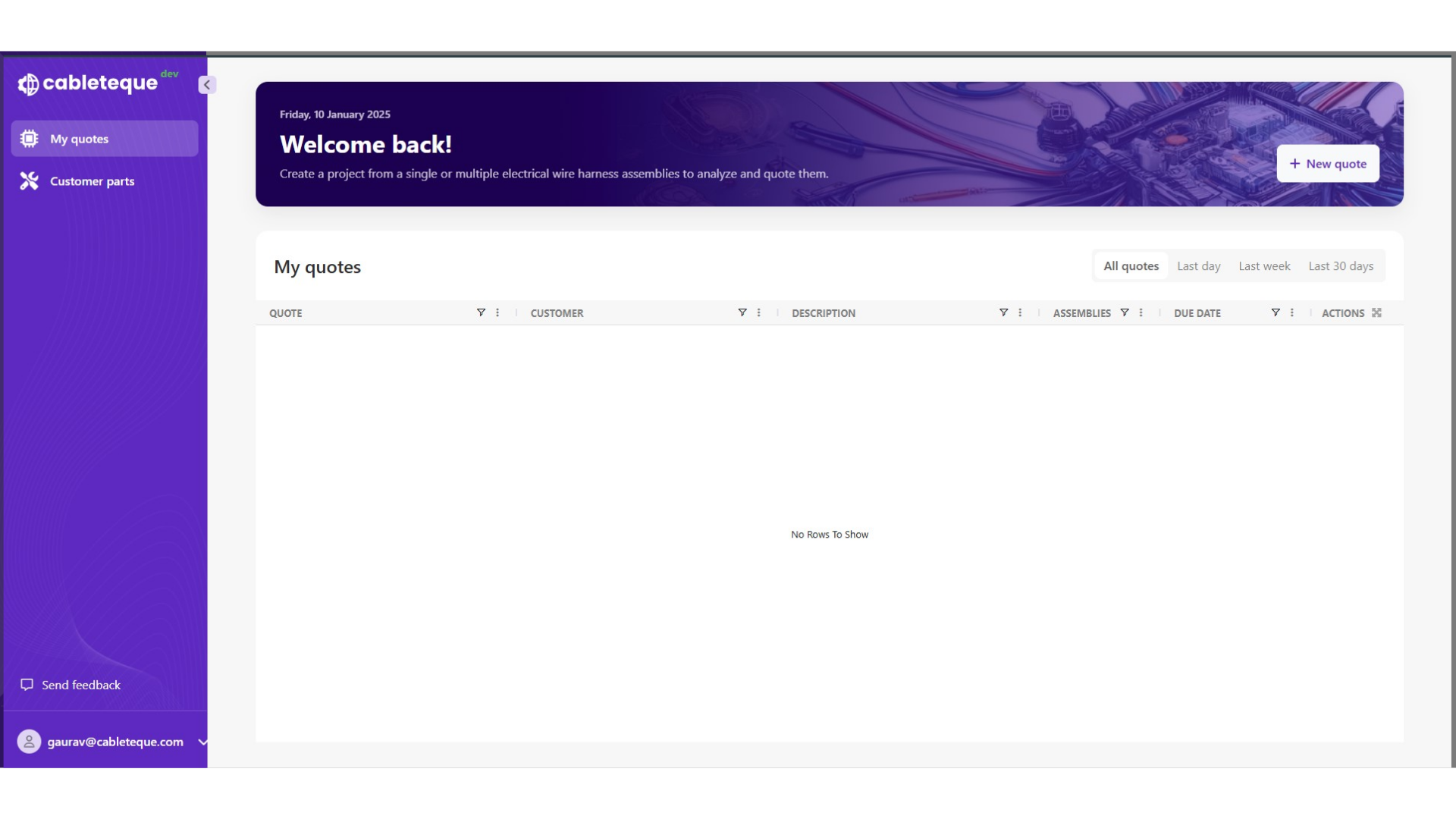
29. My quotes section
Quote is deleted from the My Quotes section.
This guide covered the process to efficiently manage quotes. Thankyou.